Building a new PC is a process that presents numerous challenges, but choosing a suitable PSU (power supply unit) is often overlooked. Power supply calculators tell you exactly what you need to know to make the right choice when buying a PSU.
Keep reading to discover which calculator you should employ.
PSUs are often overlooked because they aren’t very costly, and there is a broad variety of them, so people approach this subject with an air of indifference.
Many believe that getting a 500-600W unit will be sufficient and don’t give it much more consideration.
The issue here is more complex than that, and choosing the appropriate PSU for your computer should be considered as important as getting the right GPU and CPU. As with those, there are tiers that relate to various budgets, but reliability and efficiency are what you should focus on.
In the old days (well, perhaps ten or fifteen years ago), the aspiring PC builder was responsible for manually calculating how much power their new gaming setup would require.
You would have had to calculate the usage of the graphics card, processor, RAM, and fans. It was an extended task.
Table of ContentsShow
Enter Power Supply Calculators
Fortunately, some smart people devised a clever solution: a power supply calculator. We can now simply enter the models of each component we plan to use in our computer to receive an accurate figure of how much power it will require.

Some people have gone even further and added a suggestion for the precise model that will suit your build. However, this was taken advantage of by some PSU manufacturers who would only suggest their own models. Despite this, there are still some outstanding power supply calculators created by those companies, so they are included in this list.
There are a few other key areas where these calculators don’t offer precise guidance. In fairness, it isn’t their job to do this. These areas include information such as the real dimensions of a PSU.
When building a PC, you should be aware that the PSU will likely occupy the largest amount of space inside your rig, so you need to take that into consideration.
With that said, PC case manufacturers were also aware of this, so most modern cases include a designated PSU space.
However, having space for the PSU is only one part of the equation. You also need to be aware that the PSU generates heat. When added to all the other warm components inside the case, airflow is crucial to keep in mind.
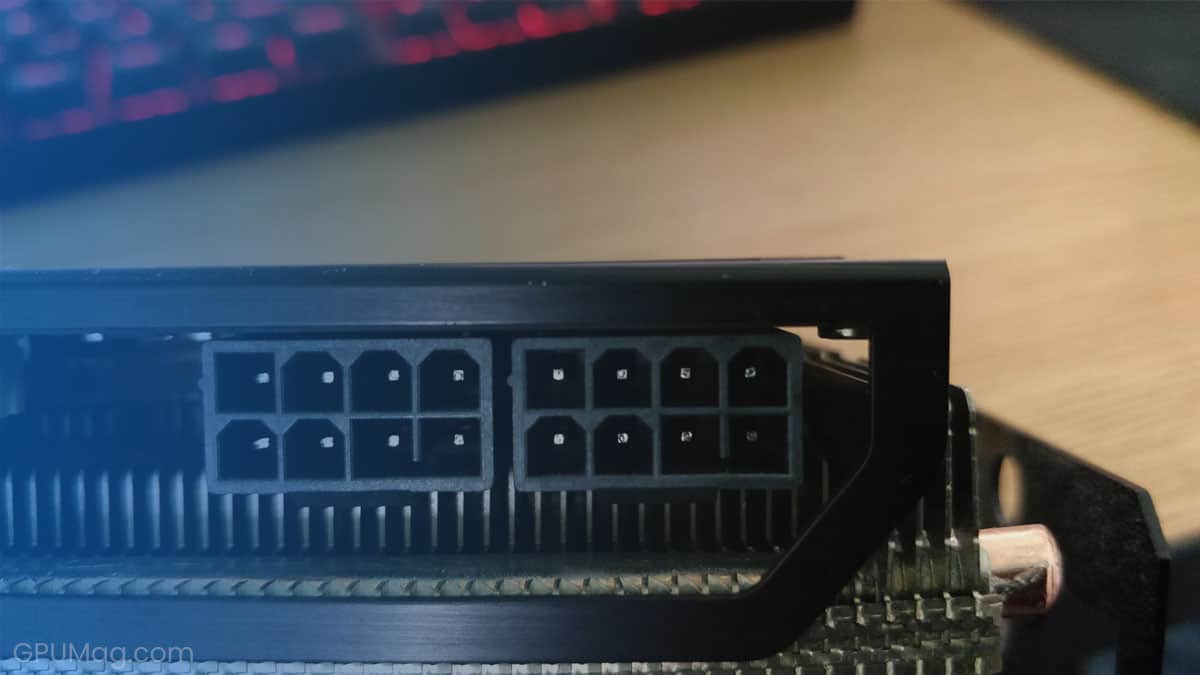
Another aspect to consider is the varied types of power connectors. With the release of the RTX 3000 series, we have now witnessed a 12-pin GPU connector. However, for now, this is simply an adapter, not a cable that is supplied with PSUs.
These are just some things worth paying attention to when choosing a PSU, but that doesn’t mean power supply calculators are not useful. In fact, they are still a really excellent solution for this problem and should certainly be used when building a new PC or upgrading your existing one.
Let’s examine a few of the main power calculators out there.
OuterVision

What makes OuterVision captivating is its exclusive focus on computing device’s power consumption. Therefore, it typically produces perfect outcomes. A notable feature of this tool is its ability to automatically discover and provide a link to purchase the appropriate PSU through Amazon.
This website has an almost flawless interface. It’s very simple to use, offers a broad range of options, and has two separate PCU calculators, one for experts and another for novices.
Another handy thing about this calculator is that it also provides overclocking calculations. If you know from the start that you are going to overclock your components, this is the ideal tool for you.
PCPartPicker

Although the name doesn’t mention it, PCPartPicker is actually a truly exceptional power calculating website, especially if you have any prior experience.
As the name suggests, they deal primarily with choosing fresh components for your PC. This can be a great tool when building a PC for the first time.
As it is not purely a power calculator, it offers plenty of other advantages, such as a compatibility check between the different parts of your computer. This is extremely helpful, as ensuring all your components are compatible is one of the most challenging tasks when building a PC.
However, to help you pick the ideal PSU, you first have to choose a PSU, and then the website tells you whether or not it’s compatible. This means you might feel a bit confused if you don’t already have knowledge and experience in PC building.
Newegg

This is a very well-known name among computer enthusiasts. You might have heard of it because it offers excellent deals on PC components (among other things), and it also offers an exceptional PC-building tool.
Although this PC component picking tool isn’t as efficient as, for example, pcpartpicker.com, it’s still probably one of the top 3 automatic solutions.
The issue with their PSU calculator is that it’s relatively basic and doesn’t account for additions like fans or peripherals. Admittedly, these aren’t significant power consumers, but it would still be nice to have them taken into consideration.
Newegg only shows the recommended wattage, which is still beneficial, but the issue comes with the suggested PSUs that are offered when you calculate the required power consumption.
For example, if their calculator tells you that your computer requires 595 Watts and you click the ‘Show PSUs’ button, you will be taken to their search page with PSU parameters already entered. However, those parameters will be ‘500-599W’, so you might be shown a 500W power supply when your power requirement is 595W.
Seasonic

If your initial thought is that this is a PSU brand, you’re correct. However, they also offer a rather helpful tool on their website to assist you calculate precisely how much power your PC will require.
In fact, their power calculating tool is likely on par with the most exceptional power calculators out there, but the one obvious drawback is that it only suggests Seasonic PSUs. Depending on how you look at it, this might not be so bad, as Seasonic is a rather dependable PSU manufacturer.
However, as PC building aficionados, we like to have as many choices as possible.
be quiet!

This is another brand-based calculator that will offer you a straightforward approach. This isn’t necessarily a bad thing, as you can effectively calculate all your power needs. However, it would still be better if you had the option to select additional power consumers.
As with Seasonic, you will only receive PSU suggestions from their brand. Again, as ‘be quiet!’ is a rather dependable PSU manufacturing company, you shouldn’t be overly concerned.
Cooler Master

Power supply calculators from brands aren’t necessarily a bad thing. In fact, the solution offered by Cooler Master is certainly as efficient as some independent calculators and perhaps even superior than others.
The options are relatively straightforward, but they offer a really neat feature that allows you to customize which PSU you want after the recommendation is made. You can select the type of cable management you have in mind and the kind of efficiency rating you’re seeking.